 ClaudePrism
Professional academic documents
with zero effort.
An AI-powered academic writing workspace with LaTeX, Python, and 100+ scientific skills.
Powered by Claude. Open source. Runs on your desktop.
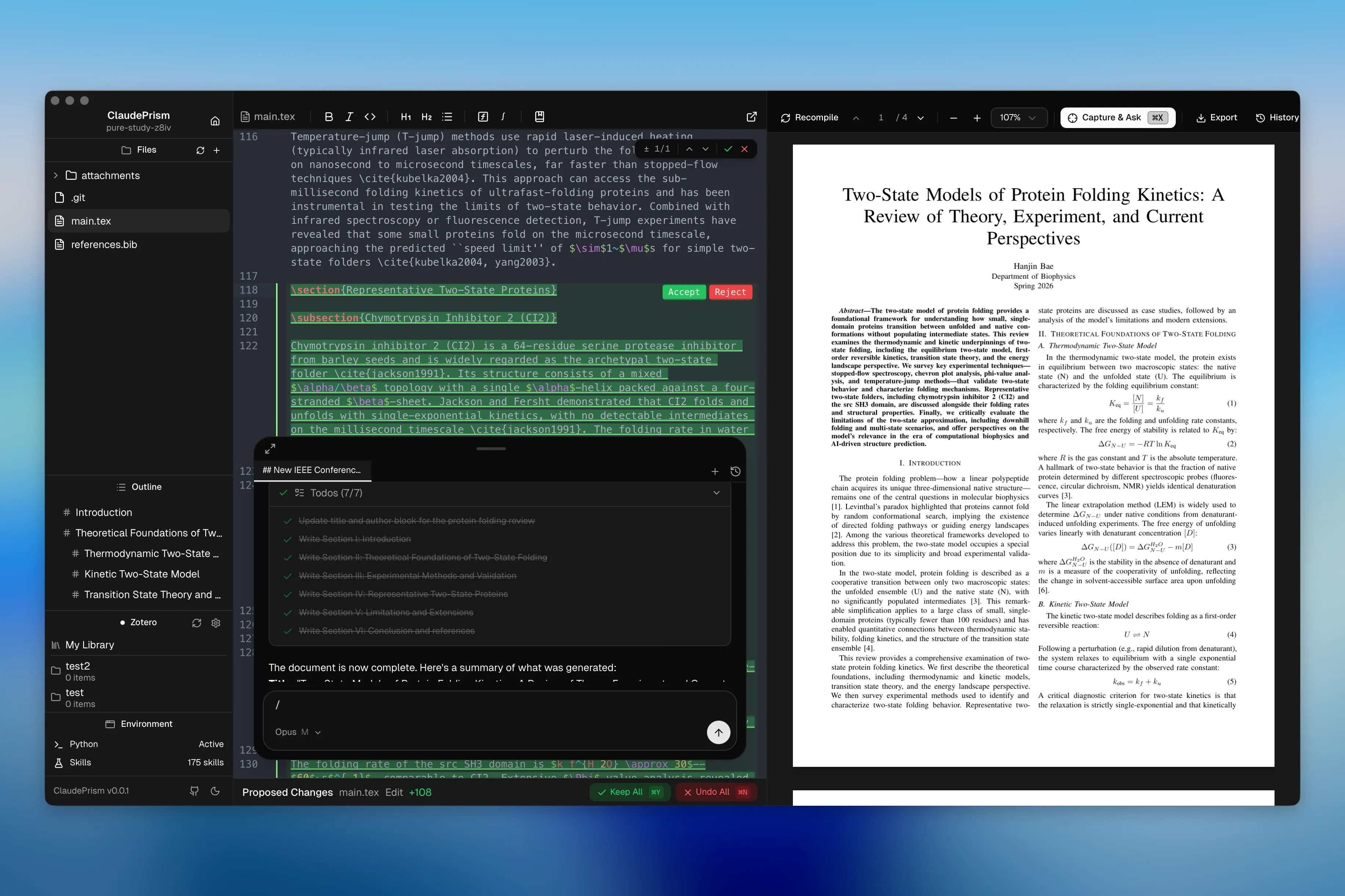
Editor + AI Chat + PDF
Write LaTeX with Claude assisting in a side panel — live PDF preview on the right
Comparison
How ClaudePrism compares
A local-first alternative to cloud-based academic writing tools.
AI Model
Prism: GPT-5.2
ClaudePrism: Claude Opus / Sonnet / Haiku
ClaudePrism runs Claude Code as a local subprocess. You choose the model per-session.
Runtime
Prism: Browser (cloud)
ClaudePrism: Native desktop (Tauri 2 + Rust)
Native app means faster performance and no browser tab management. LaTeX compilation works fully offline.
LaTeX Compilation
Prism: Cloud
ClaudePrism: Tectonic (embedded, offline)
Tectonic downloads packages once and caches them. After that, compilation is fully offline.
Python Environment
Prism: —
ClaudePrism: Built-in uv + venv
One-click setup for project-level virtual environments with uv, the fast Python package manager.
Scientific Skills
Prism: —
ClaudePrism: 100+ domain skills
Curated prompts and tool configurations that give Claude deep knowledge in specialized scientific fields.
Version Control
Prism: —
ClaudePrism: Git-based history with labels & diff
Document Storage
Prism: OpenAI cloud servers
ClaudePrism: Your local disk
OpenAI Prism requires uploading files to their servers. ClaudePrism stores files locally. Both tools send content to cloud APIs for AI inference.
Source Code
Prism: Proprietary
ClaudePrism: Open source (MIT)
Audit the entire codebase yourself. Know exactly what data is sent where.
Note: Both tools send prompts and file contents to cloud APIs for AI inference. The difference is where your files are stored — OpenAI Prism keeps them on their servers, ClaudePrism keeps them on your disk. See Claude Code data usage for details.
Everything you need to write science
A complete workspace — no browser tabs, native desktop performance.
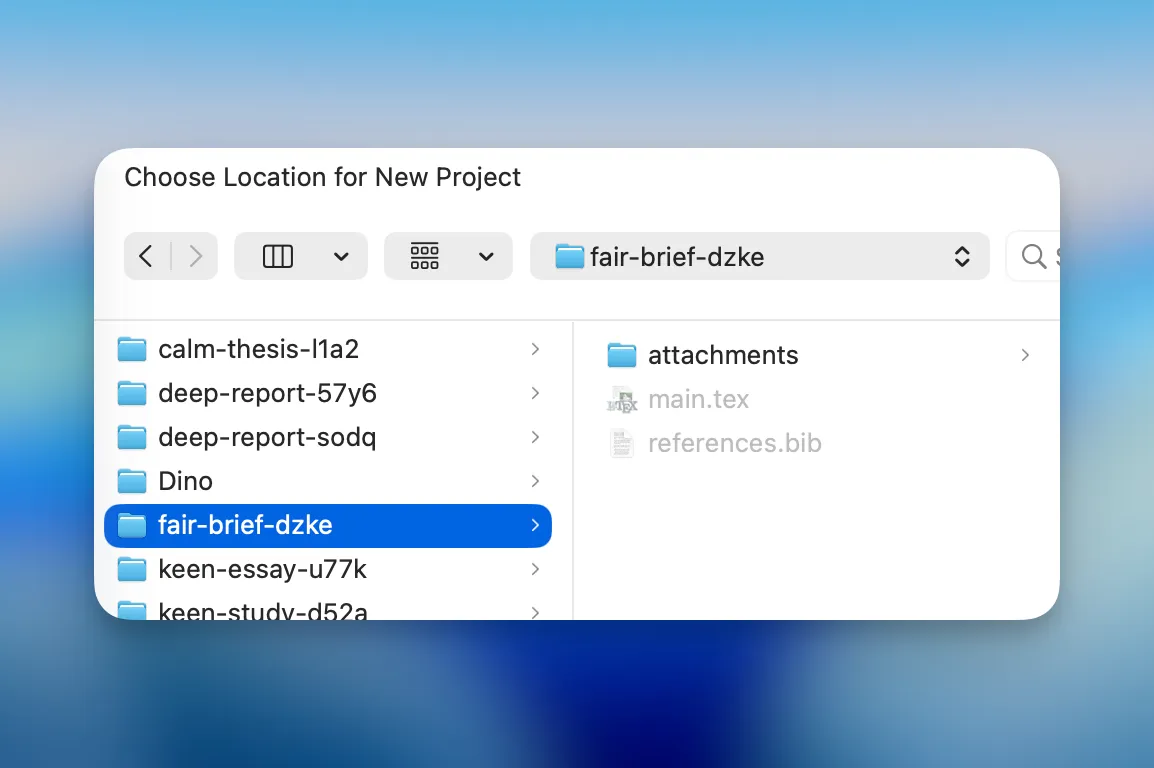
Local-First Storage
Documents stored and compiled on your machine. AI features use Anthropic's API for inference.
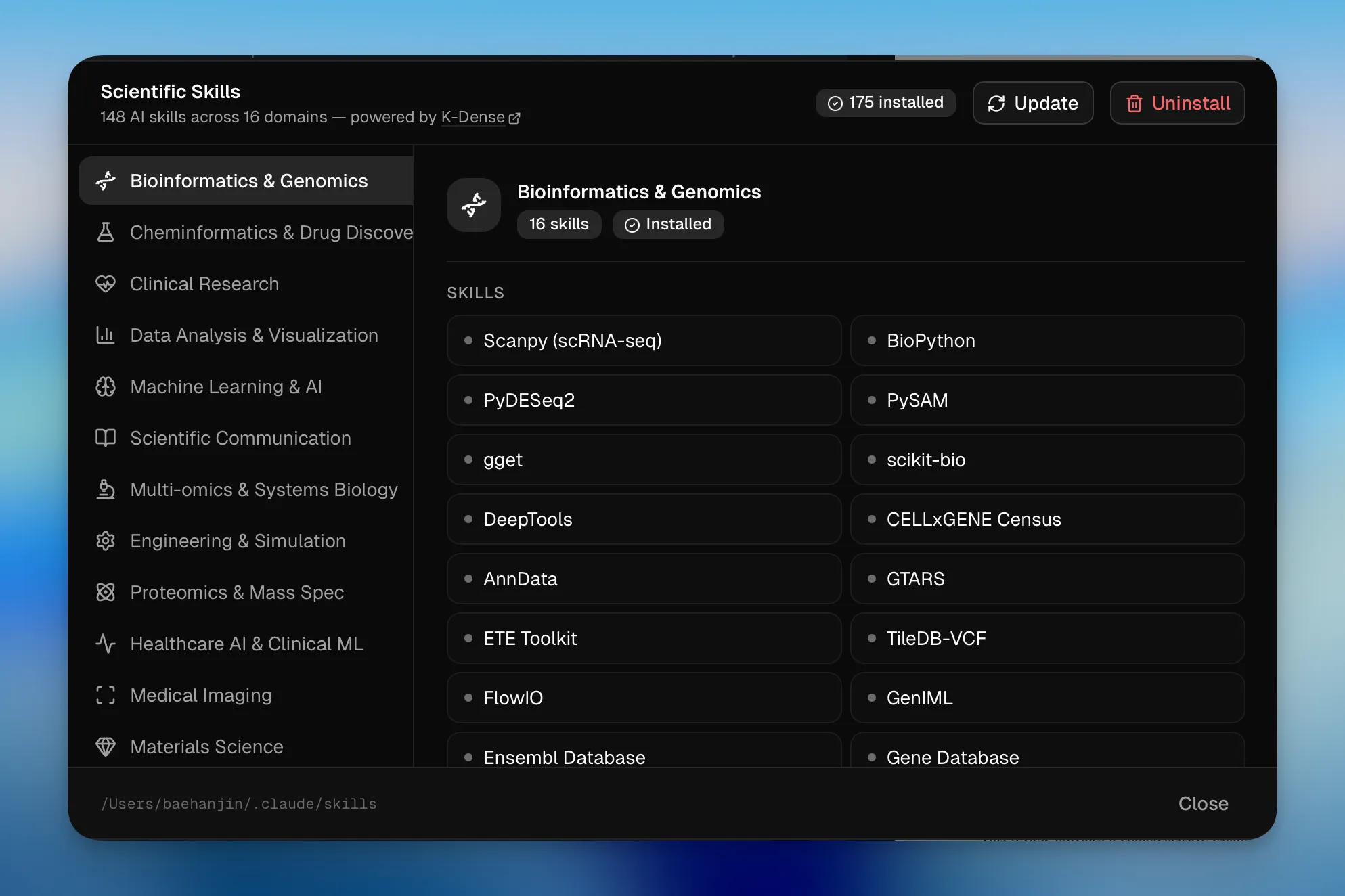
100+ Scientific Skills
Domain-specific skills for bioinformatics, cheminformatics, ML, clinical research, and more.
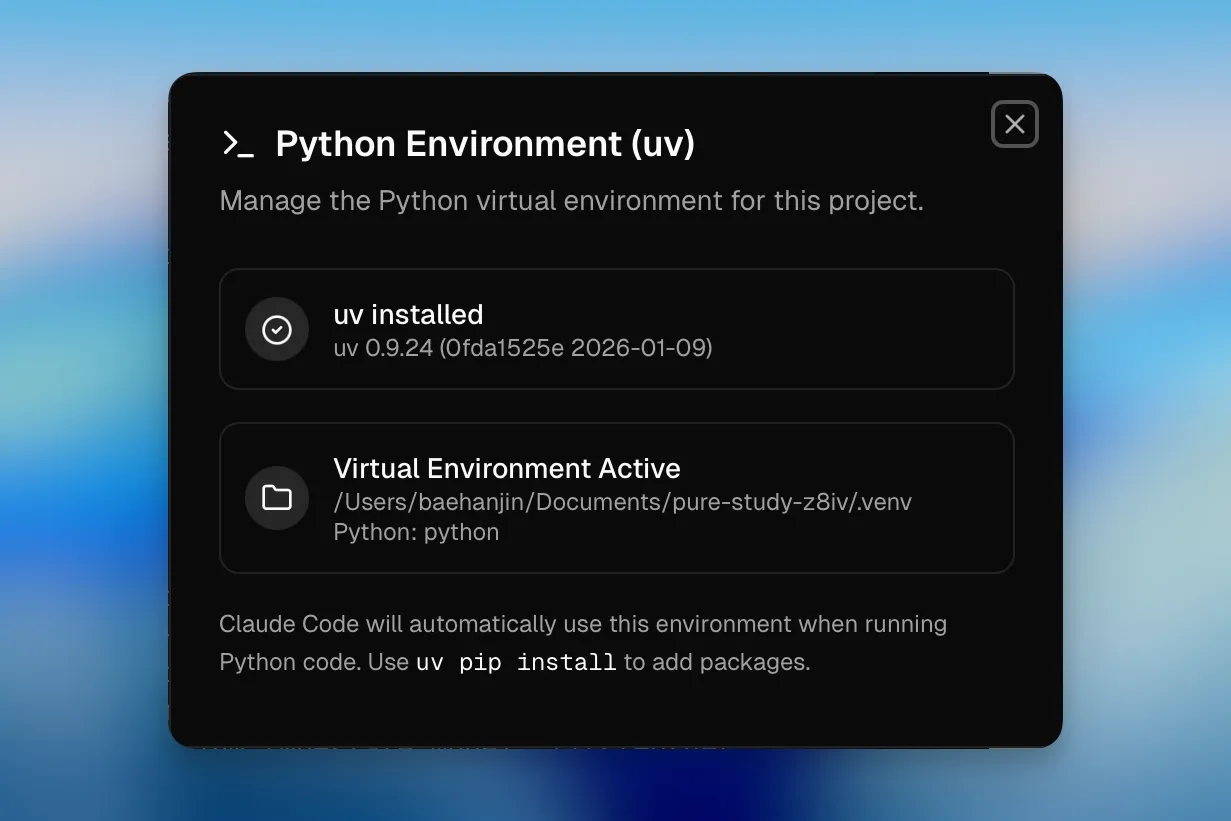
Built-in Python
One-click uv + venv setup. Run analysis, generate plots, and process data without leaving the editor.
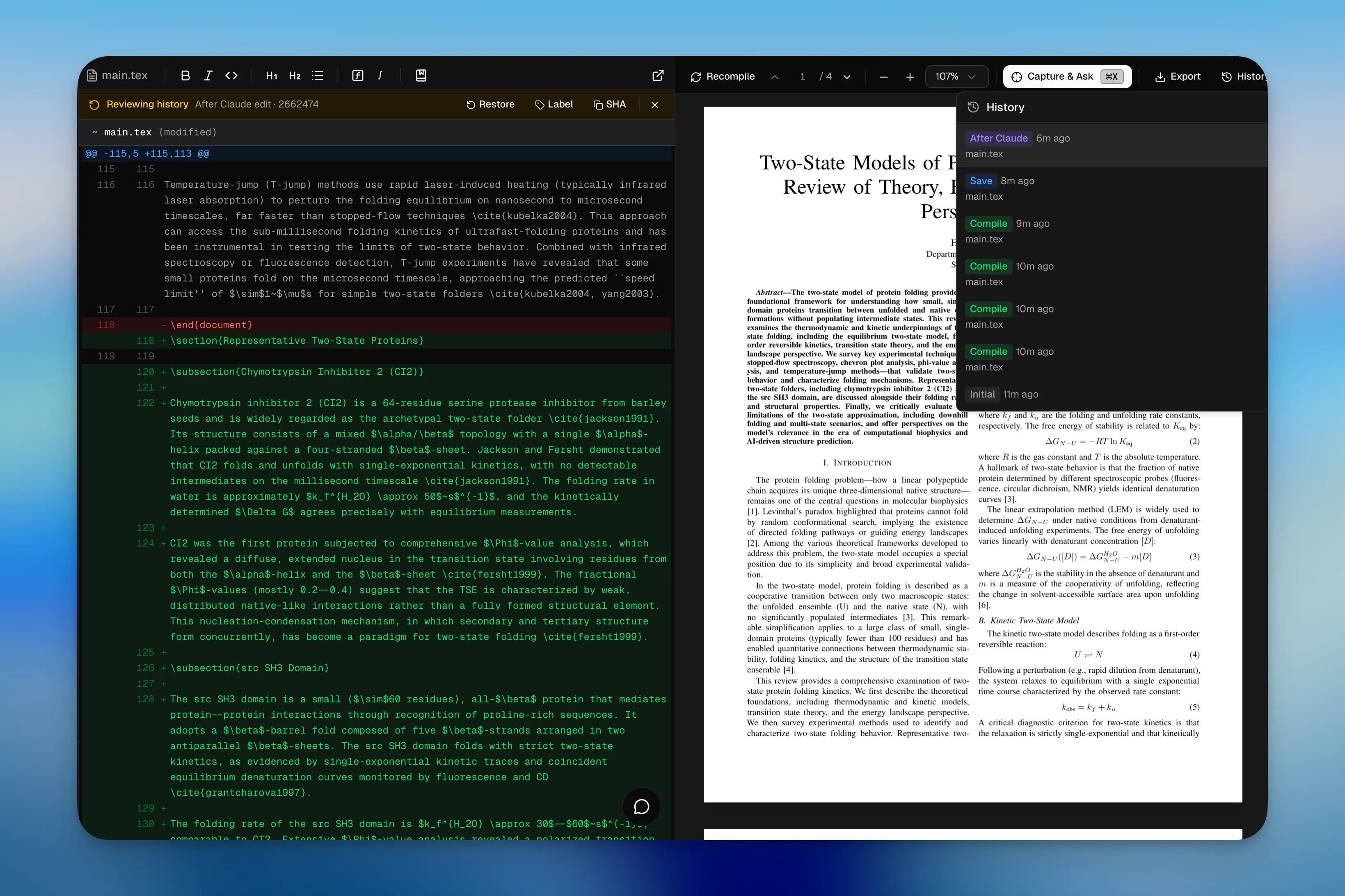
Git-Based History
Every save creates a snapshot. Label checkpoints, browse diffs, and restore previous versions.
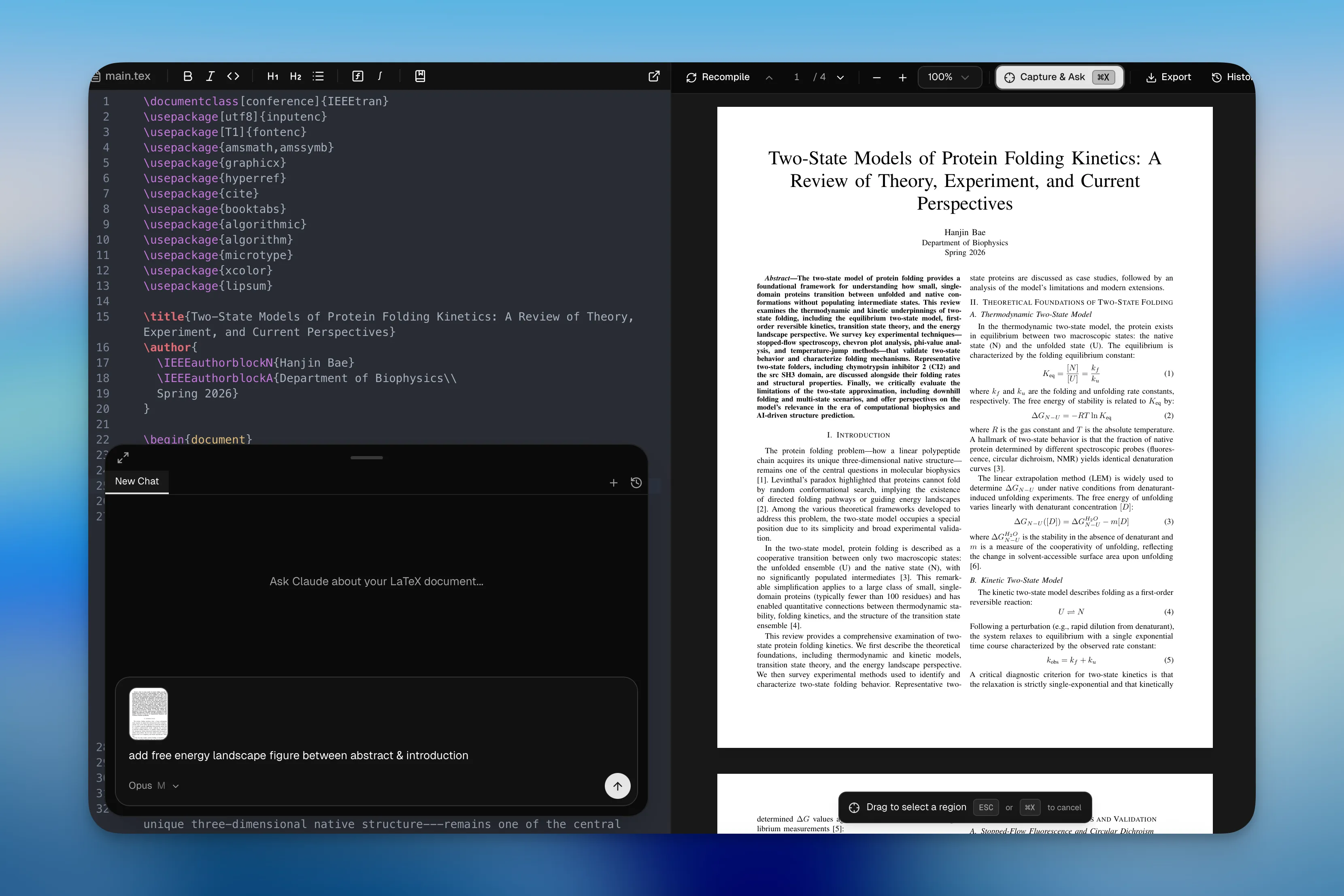
Capture & Ask
Drag to select any region in the PDF — the capture is pinned to chat so you can ask Claude about equations, figures, or tables.
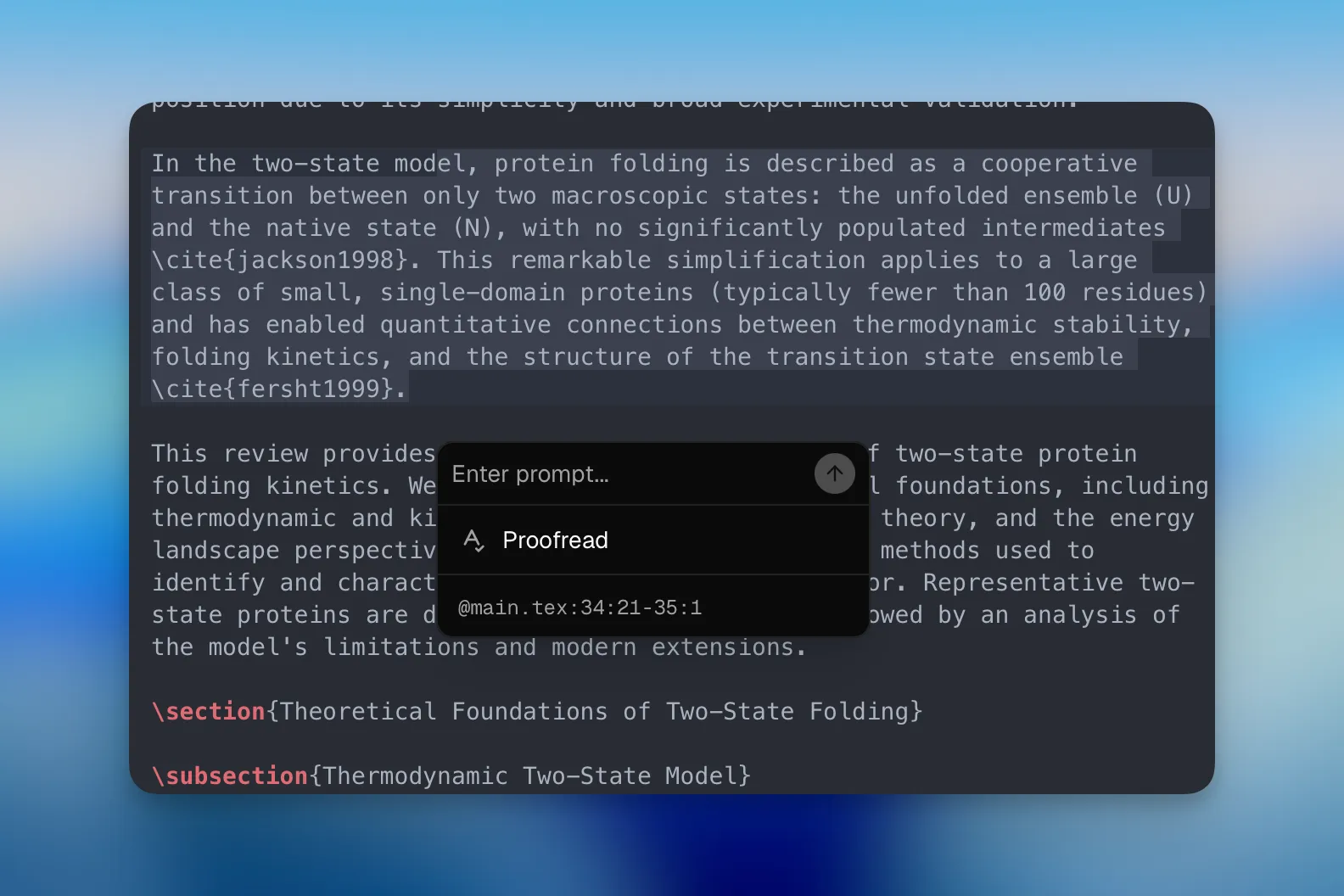
Select & Prompt
Select text in the editor to instantly proofread, ask questions, or run commands on the selection.
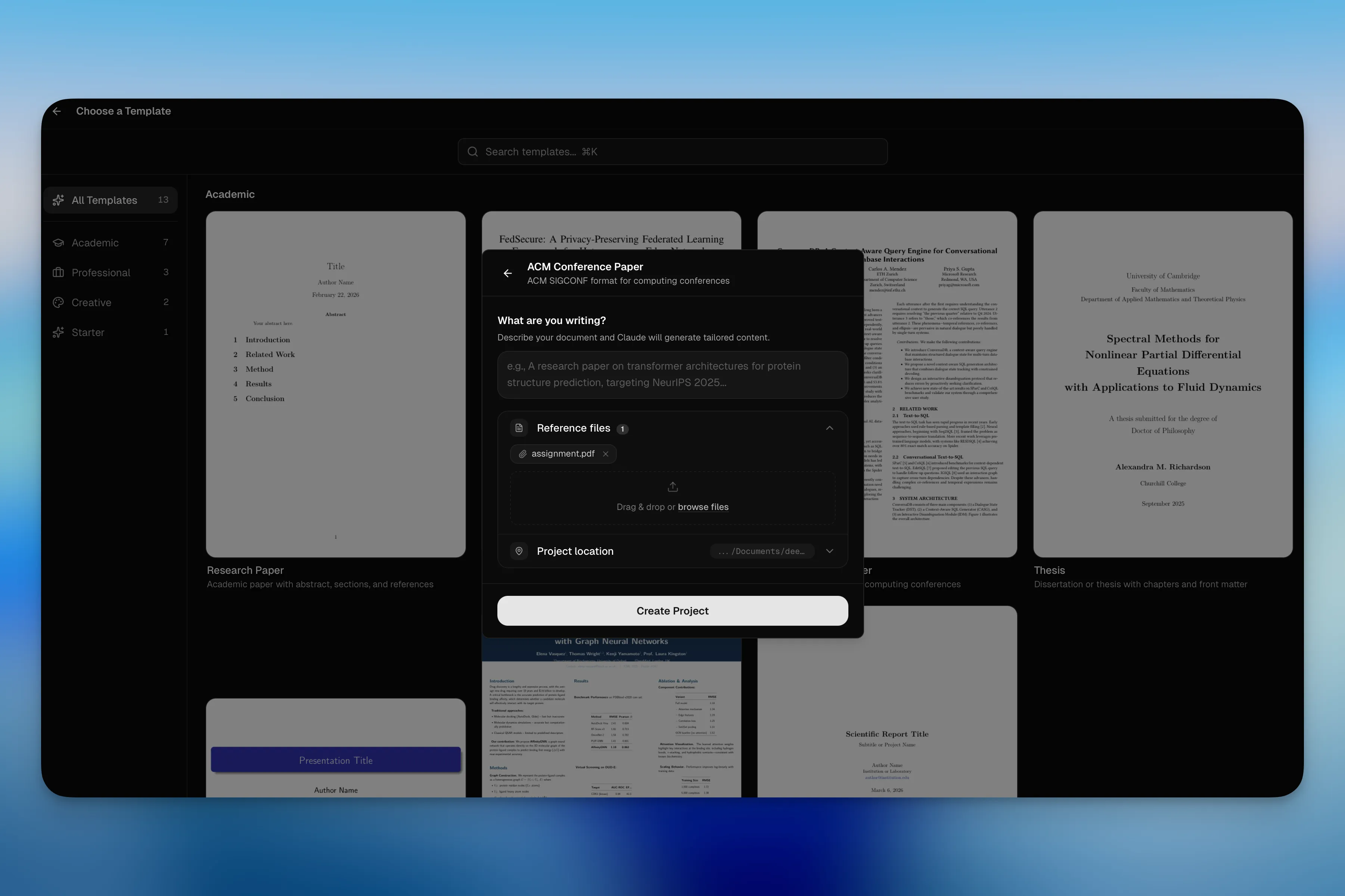
Project Wizard
Pick a template, describe your project, drop reference files — ClaudePrism generates initial content with AI.
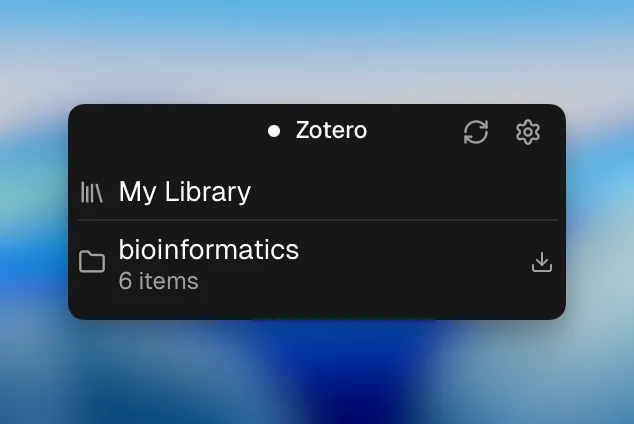
Zotero Integration
Connect your Zotero library via OAuth. Browse collections, search references, and insert citations directly into your manuscript.
100+ Scientific Skills
Domain-specific knowledge for Claude — browse, search, and install.
Powered by K-Dense Scientific Skills — curated prompts and tool configurations by K-Dense AI.
Showing 48 of 48+ skills. Browse all on GitHub
Honest status
Built for real research — not there yet.
ClaudePrism is an early-stage open source project. Some features work great, others are in progress. Here's exactly where we are.
Shipped
- LaTeX editor with AI chat
- Offline compilation (Tectonic)
- Proposed changes review with diffs
- Git-based version history
- 100+ scientific skills
- Python environment (uv + venv)
- Capture & Ask (PDF region)
- Template gallery & project wizard
- Multi-file project navigation
In Progress
- Real-time collaboration
- Reference manager (beyond Zotero)
- Figure & table generation pipeline
- Custom model endpoints (Ollama, local LLMs)
Planned
- Integrated literature search
- Automated citation formatting
- Experiment notebook integration
- Plugin ecosystem
- Cloud sync (optional, encrypted)
Missing something you need? Open an issue — contributions are welcome.
Get started in minutes
From install to first draft — three steps.
Install
Download the app or install via Homebrew. No account setup required.
Pick a Template
Choose from paper, thesis, presentation, poster, or letter templates. Add reference files by drag & drop.
Write with Claude
Claude assists with editing, review, citations, and analysis. Accept or reject every suggestion.
Compare the workflows
Cloud Workflow
- 1Open browser, navigate to cloud editor
- 2Upload your .tex files to their servers
- Documents stored on cloud servers
- 4AI processes your content on cloud infrastructure
- 5Compile on cloud, download PDF
Local Workflow
- Open ClaudePrism on your desktop
- Select a template or open local .tex files
- Documents stored on your local disk
- AI inference via Anthropic API (content sent for processing)
- Compile offline with Tectonic, export PDF